
Roles in the app
What each Edeso role can see and do: master, admin, member, team or group leader, team member and visitors who are not signed in.
On this page7
What each person can see and do in Edeso depends on their role, their access permissions and the teams or groups they belong to.
At a glance: what each role can do
access from the start access can be switched on no access only under certain conditions
| Feature | Master | Admin | Member | Team leader | Group leader | Team member |
|---|---|---|---|---|---|---|
| Edit people | ||||||
| Edit groups | ||||||
| Finance | ||||||
| View and edit cards | ||||||
| Event analytics | ||||||
| Send notifications | ||||||
| Scan tickets | ||||||
| Children’s check-in | ||||||
| Create documents | ||||||
| Book areas | ||||||
| Create tasks and activities | ||||||
| Everything else |
Users cannot edit themselves, even as master or admin.
The master role
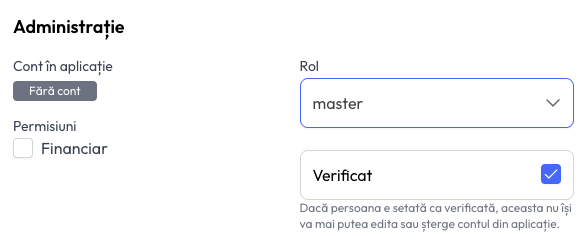
Users with the master role have the widest access in the app: every feature except Finance.
Only users with the master role can turn on the Finance role for other users.
The admin role
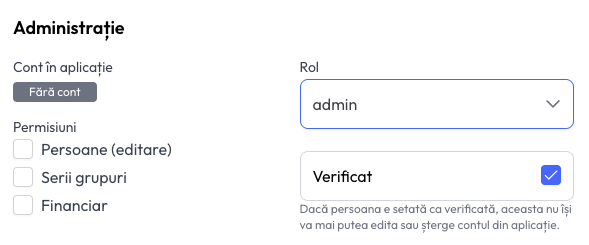
People with the admin role have broad access in the app, but they cannot edit people, create groups or see the finance area unless that access is given separately.
The member role in the admin
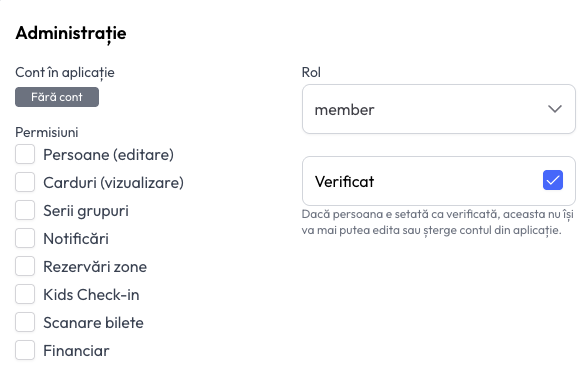
A plain member has no admin access from the start. Each permission marked in the table can be switched on separately.
Team and group leaders, team members
- Team leaders can book areas and create tasks and activities from the start.
- Group leaders can edit groups and book areas from the start. They can create tasks if they also lead a team.
- Team members can edit groups, book areas and create tasks and activities from the start.
Signed-in users without a role
Every signed-in user has access to:
| Feature | Access |
|---|---|
| Join groups | |
| Register for events | |
| Donate | |
| Everything else |
Individual access can be given from the admin.
Public pages, without signing in
| Feature | Access |
|---|---|
| View events | |
| Register for events | |
| Donate | |
| Everything else |
If the event has public registration turned on.
Was this article helpful?
Thanks for letting us know.
What is missing? Write to us at contact@edeso.app